The Multi-Pass EMV Terminal
The Multi-Pass is an EMV cardlock solution designed to accept credit, debit and fleet cards for use in private, public and commerical sites.
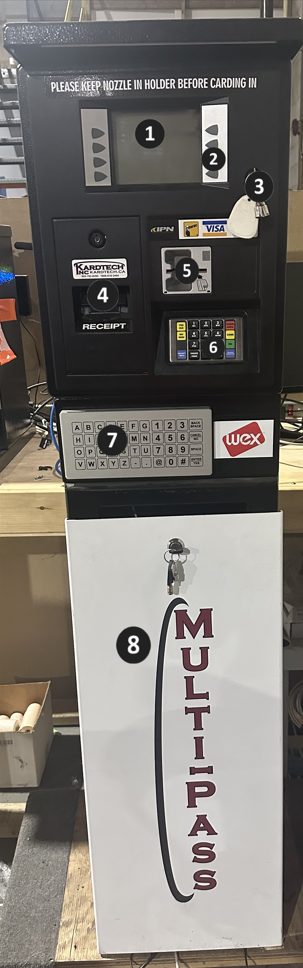
Outer Components
1. Display
2. Soft Keys
3. Main Lock
4. Receipt Printer
5. Card Reader
6. Keypad (SPM)
7. Alphanumeric Keyboard
8. Pedestal
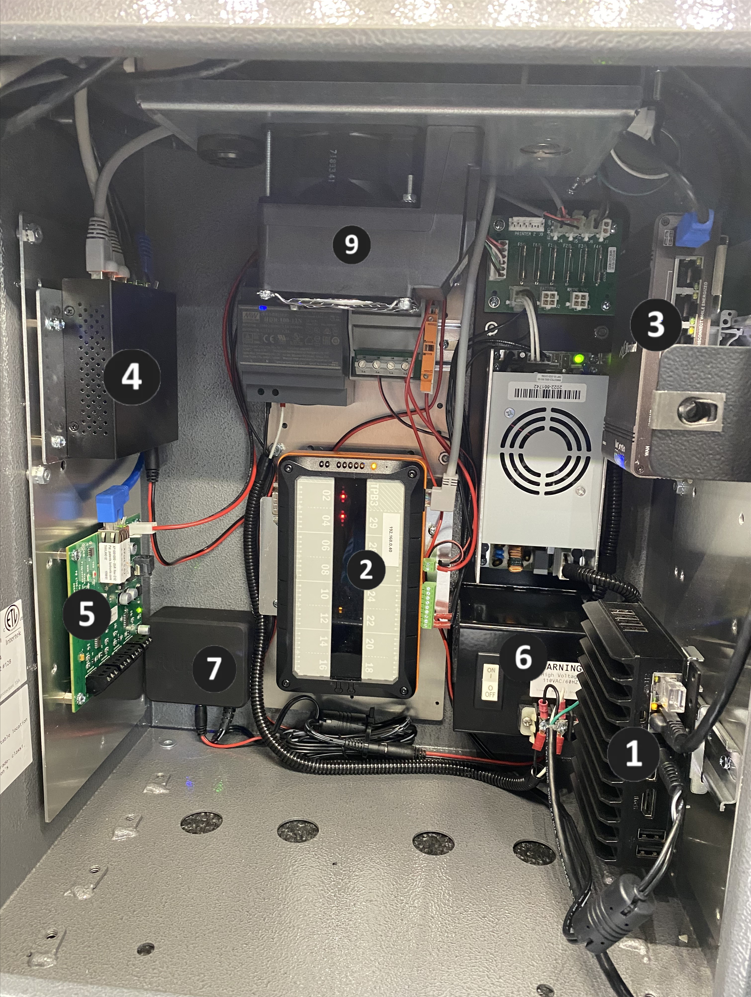
Internal Components
1. PC
2. Tibbo
3. Modem
4. Network Switch
5. Pi-Box
6. Main Power Toggle
7. UPS (Battery Backup)
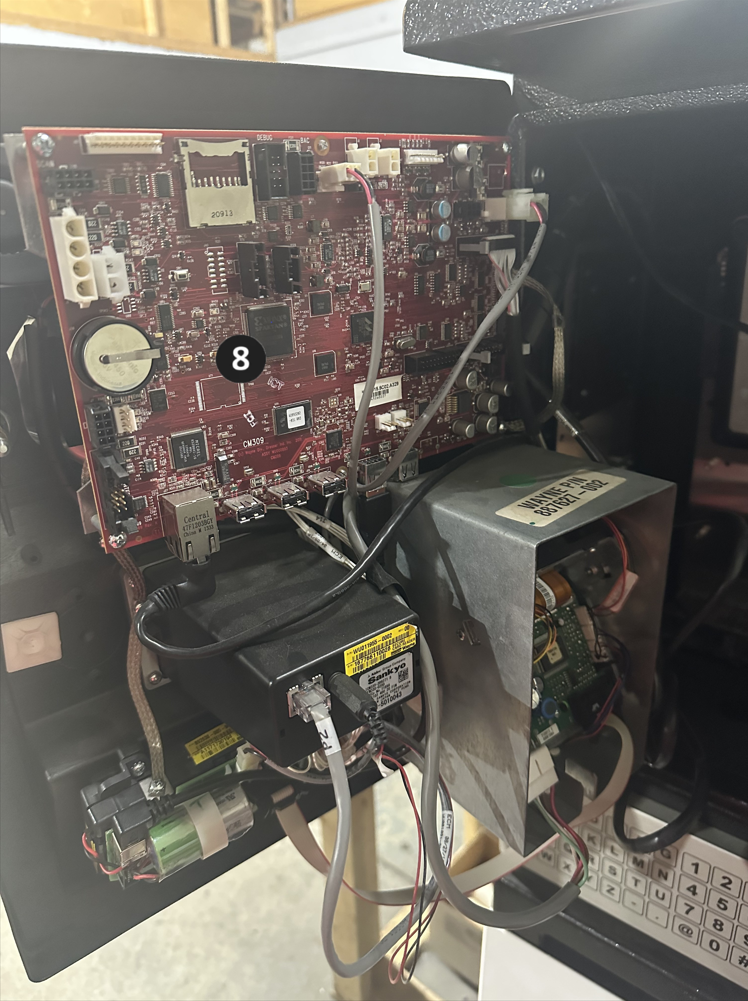
8. Red Board/Jade Board
Outer Component Reference Guide
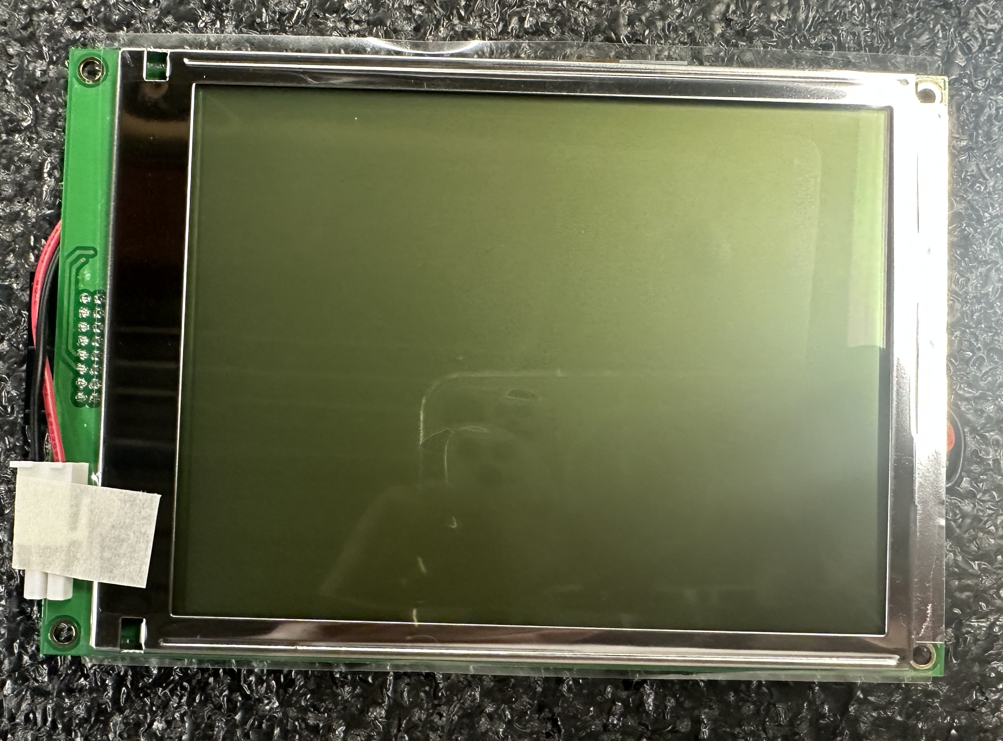
Display
The Display is the customers' first point of contact when interacting with the Multi-Pass.
Soft Keys
The Soft Keys are mainly used by customers to select menu options after inserting their card. These menu options can include things like selecting a fill limit, selecting the fuel type, selecting chequing or savings, etc... Depending on the type of card used, these options can vary. The soft keys can also be used to enter the diagnostic screen.
________________________________________________________________________________
Main Lock
The Main Lock can be unlocked using a unique key supplied to the site manager to open head of the terminal for access to the internal components. The lock for the pedastal and receipt printer can be opened with a separate TPX-88 key.
________________________________________________________________________________
Receipt Printer
The receipt printer can be accessed using the same key to open the pedastal. This supplies the site with receipts after a transaction is complete.
________________________________________________________________________________
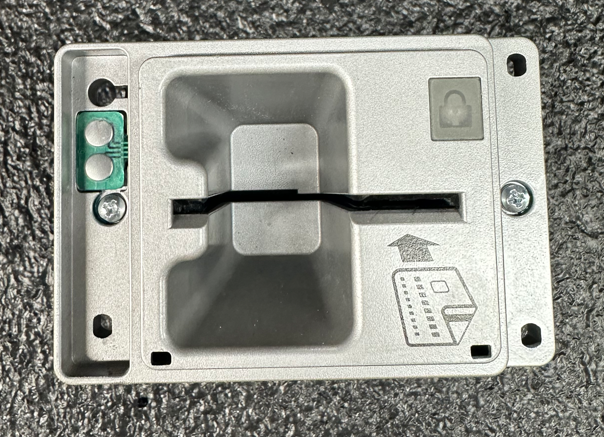
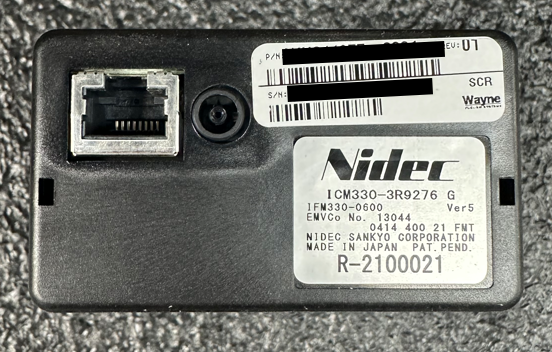
Card Reader
The card reader is where customers insert their card. In the Multi-Pass, both fleet and banking cards can be swiped. Customers using fleet cards will be required to insert and remove the card immediately, whereas banking cards work off chip and pin, which require the customer to insert the card and keep the card inserted until they have moved through all of the prompts.
The card reader will show a green light at the top right corner when it is fully operational. No light on the reader means it is unresponsive to card swipes. A red light on the reader indicates the reader is breached and will have to be replaced.
________________________________________________________________________________
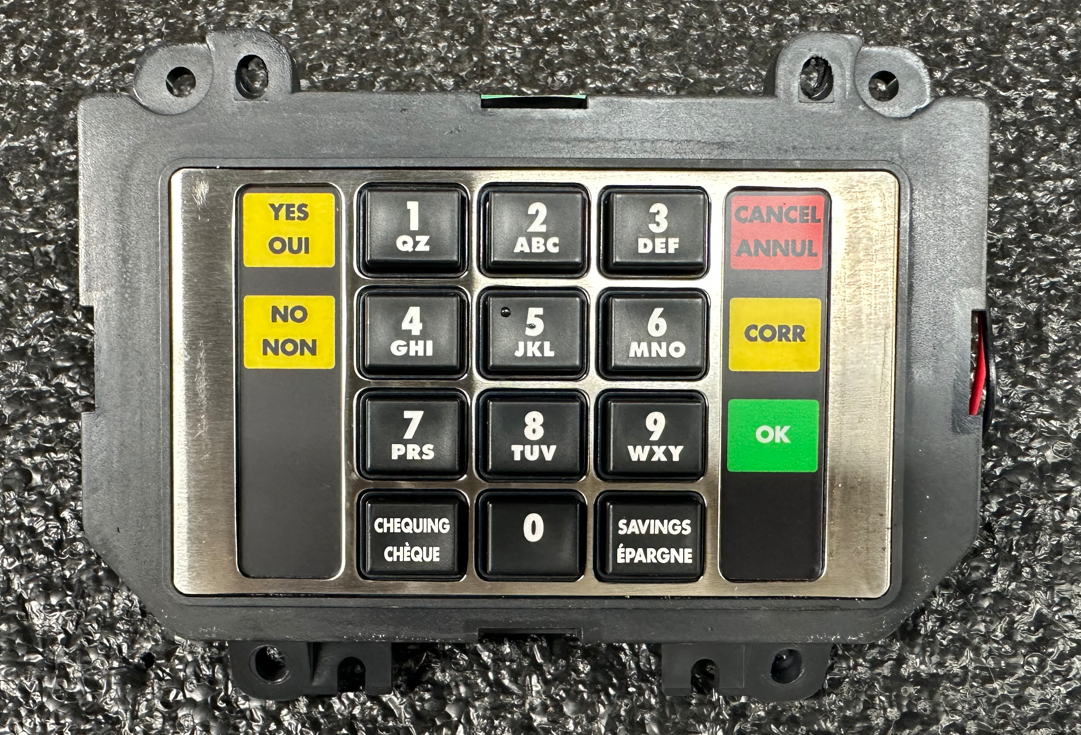
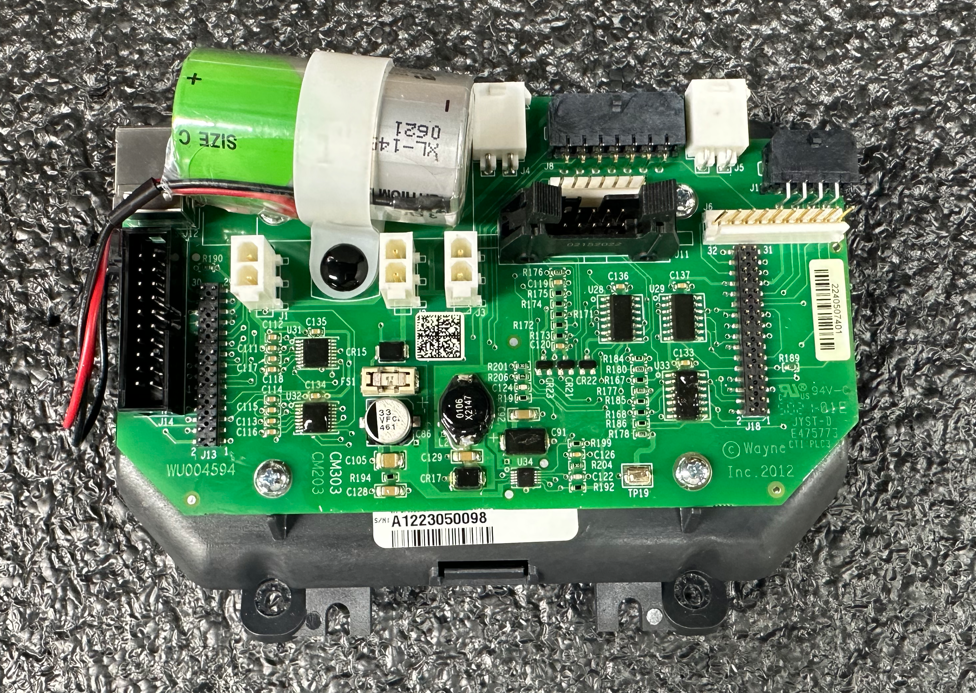
Keypad (SPM)
The SPM (Secure Payment Machine) is where customers' enter their pin number for bank cards.
The SPM can breach very easily if tampered with even in the slightest. When working with the SPM, the main power to the terminal must be shut off.
_____________________________________________________________________
Alphanumeric Keyboard
This keyboard is specifically designed to be used for fleet transactions. The alphanumeric keyboard allows drivers to not only enter their pin, but enter other driver information using letters and numbers.
________________________________________________________________________________
Pedestal
The pedastal encases wiring that is fed underground from another location into the unit. This can include internet cables, power, pump wiring, etc...
________________________________________________________________________________
Internal Component Reference Guide
PC
The PC plays an essential role in the functionality of the Multi-Pass. It houses the Sylogist Pump Software which controls all of the pumps.
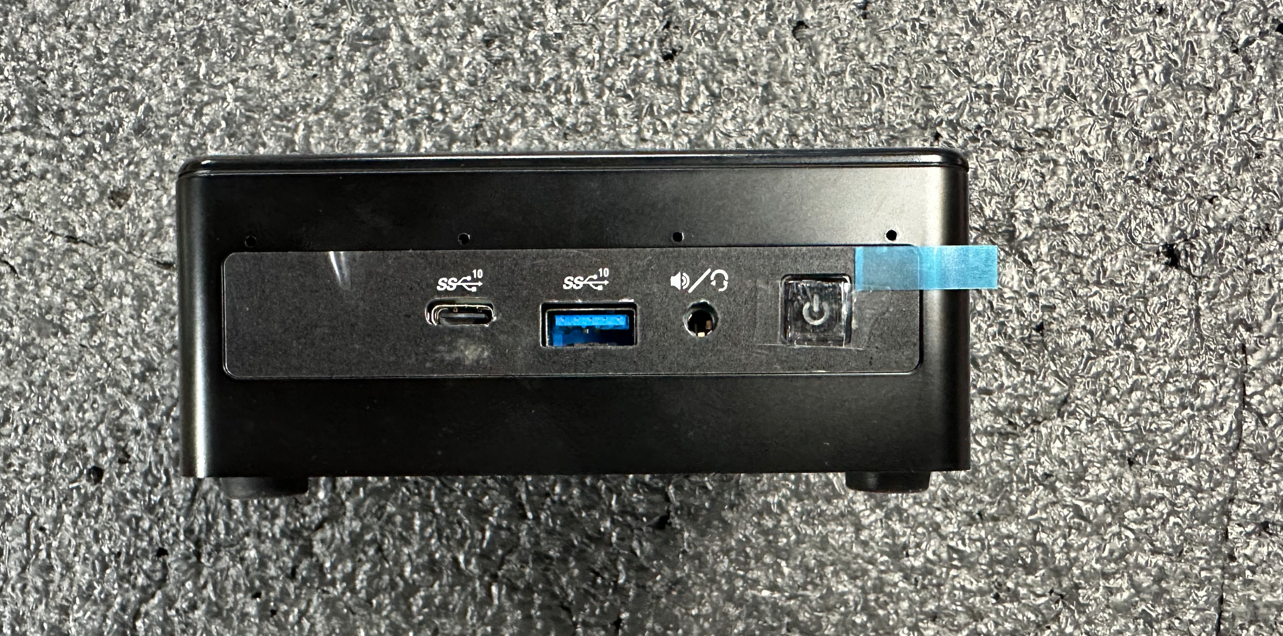
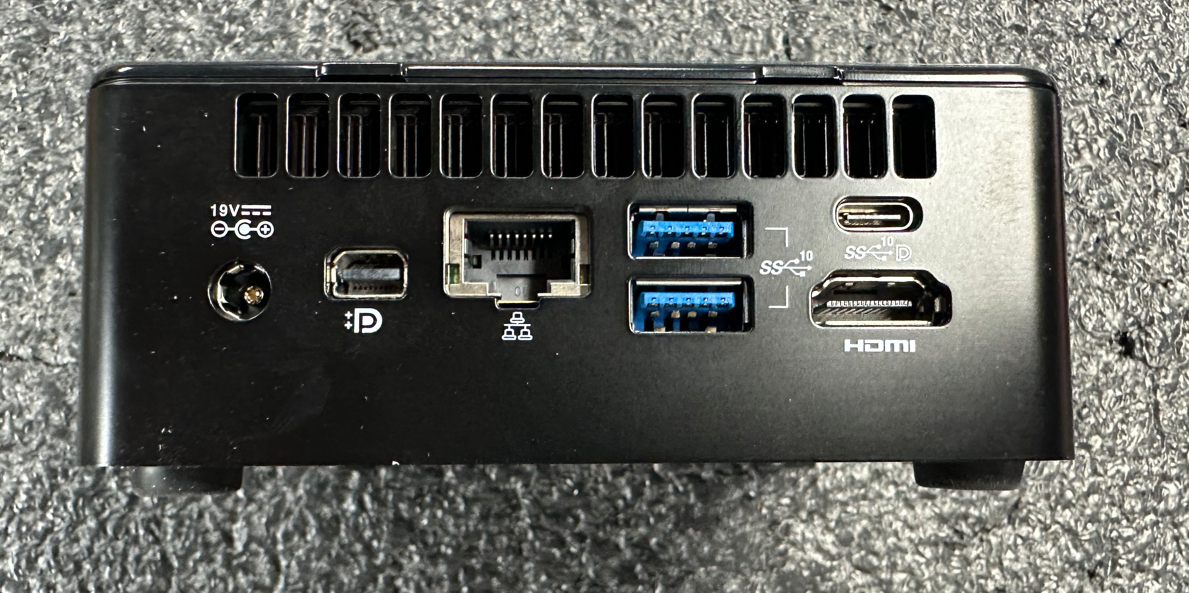
Geekom/NUC PC
3 USB 2.0 Ports (Blue)
2 USB-C Ports
1 Ethernet Port
1 HDMI Port
1 Mini Display Port
19V Power
Vast majority of sites are currently utilizing this PC
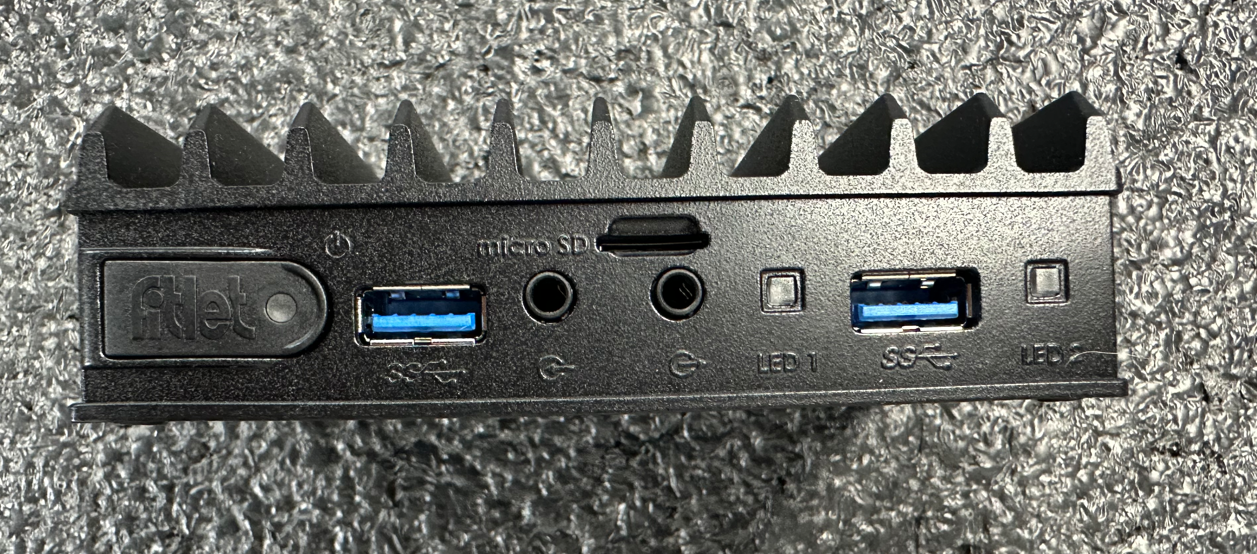
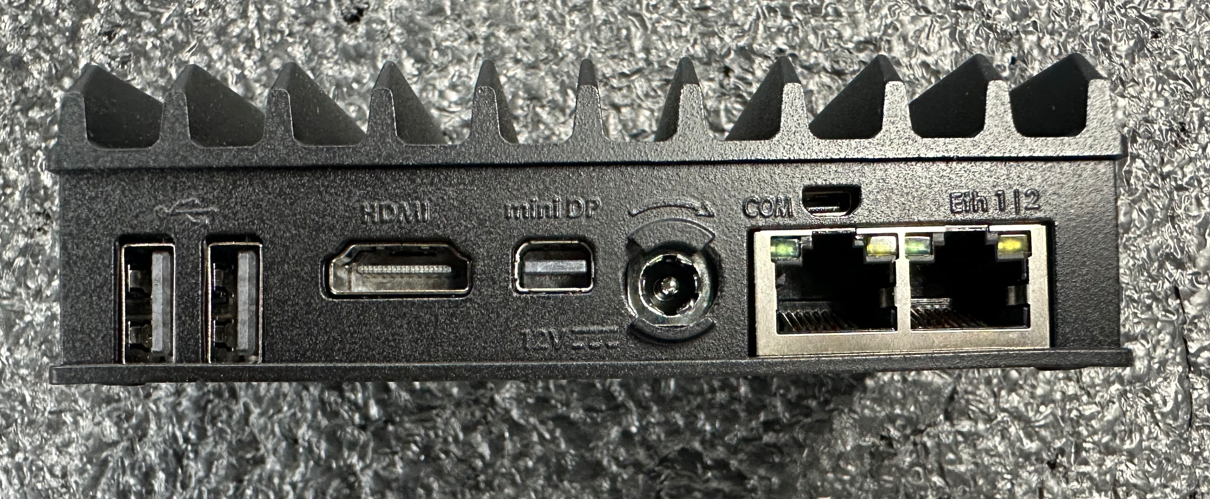
Fitlet PC
2 USB 2.0 Ports (Blue)
6 USB 1.0 Ports (Black)
2 Ethernet Ports
1 Micro SD Slot
1 HDMI Port
1 Mini Display Port
12V Power
Mini-PC
4 USB 2.0 Ports (Blue)
2 USB 1.0 Ports (White)
6 COM Ports
2 Ethernet Ports
2 HDMI Ports
12V Power
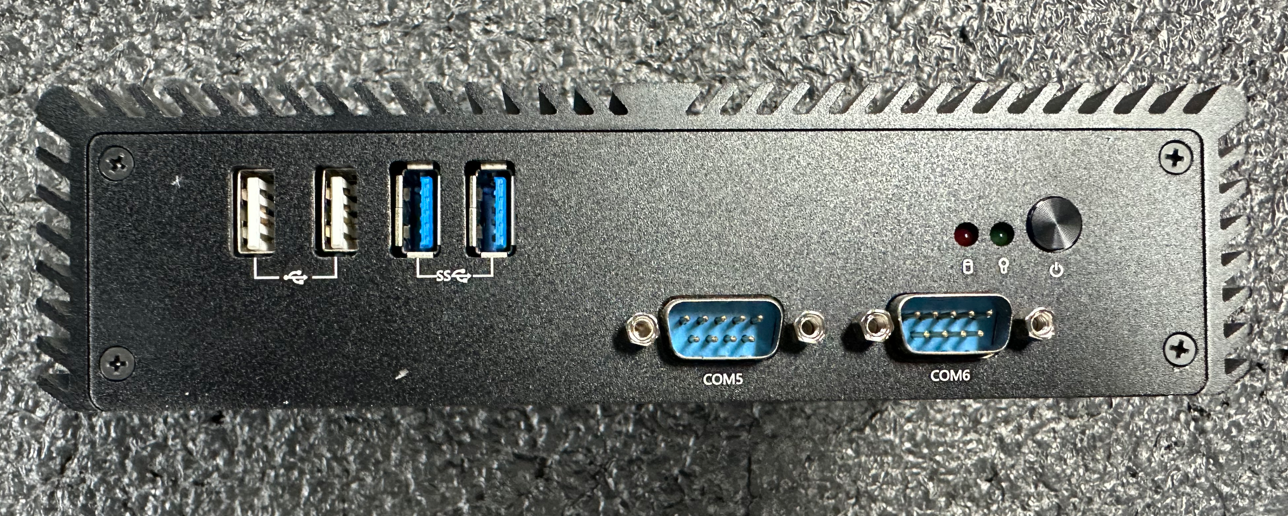
If the PC is shut off, all pumps will lose communication, and the screen will say "Please Pay Inside."
________________________________________________________________________________
Tibbo
The Tibbo controls the main power to the Multi-Pass. It allows customers to remotely shut power down if needed.
________________________________________________________________________________
Modem
The modem supplies internet to the PC which enables transactions to be pushed to our host. It uses Bell as the internet service provider. Transactions will not be pushed to our host if the modem loses connection. Instead, they will be stored locally in the PC.
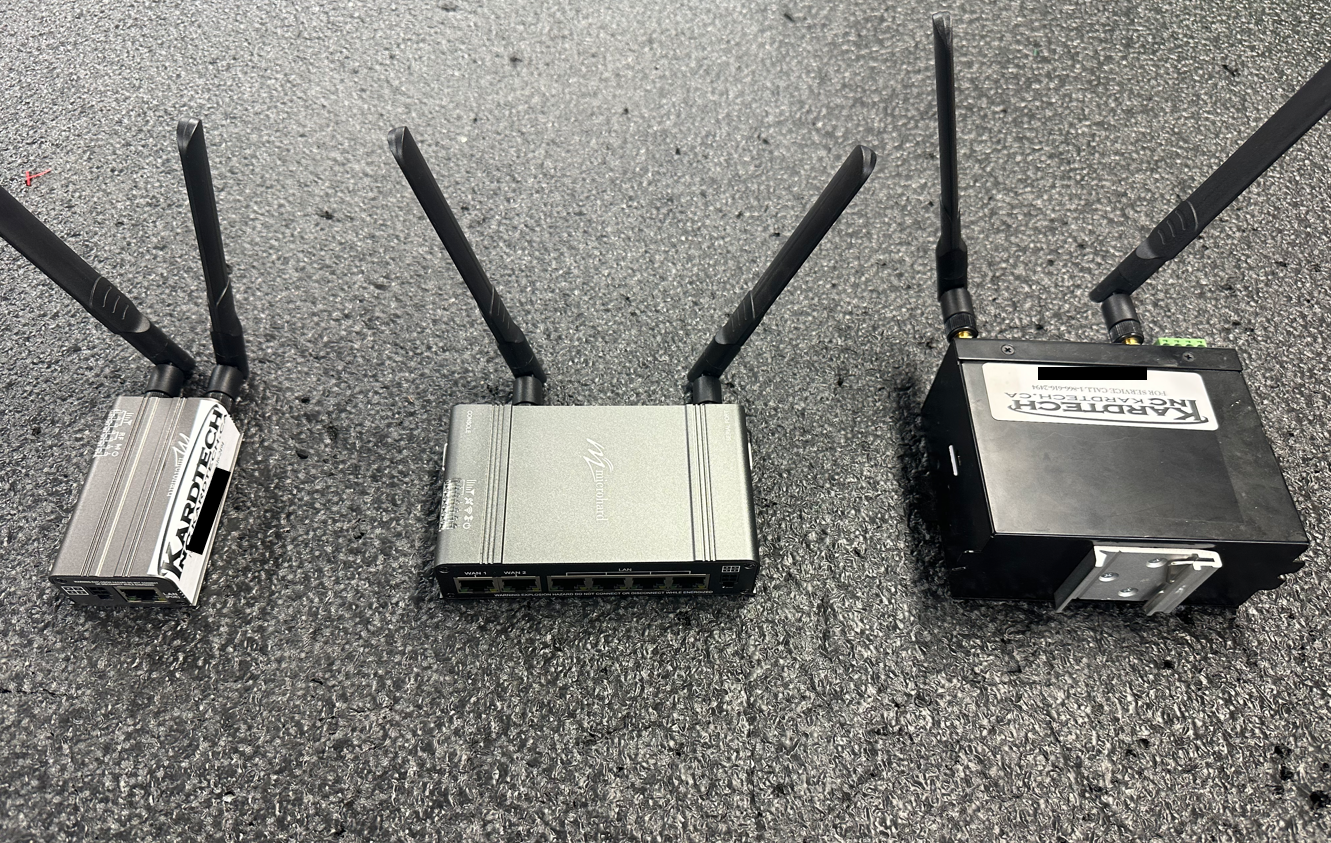
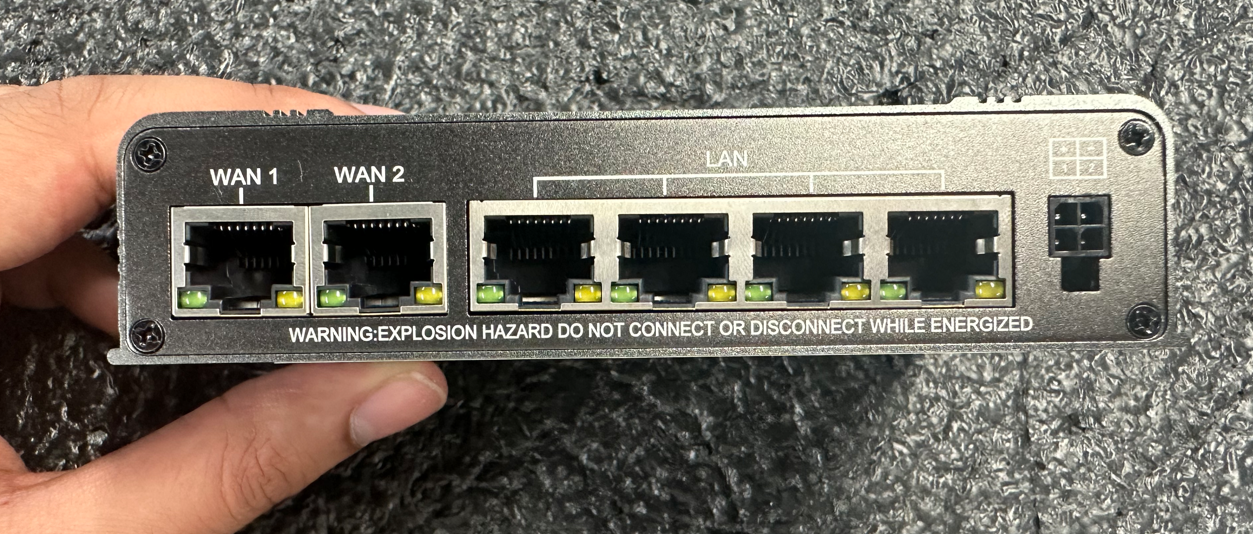
Microhard Modem (Standard)
2 WAN Ports
4 LAN Ports
DIV, GPS, MAIN and WIFI Antenna Ports
2 SIM Slots
1 USB-A Port
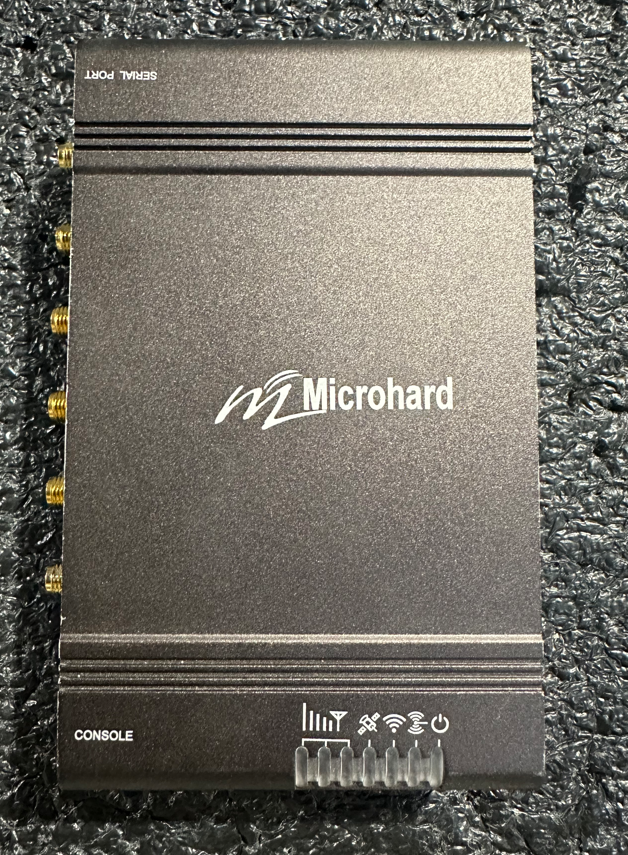
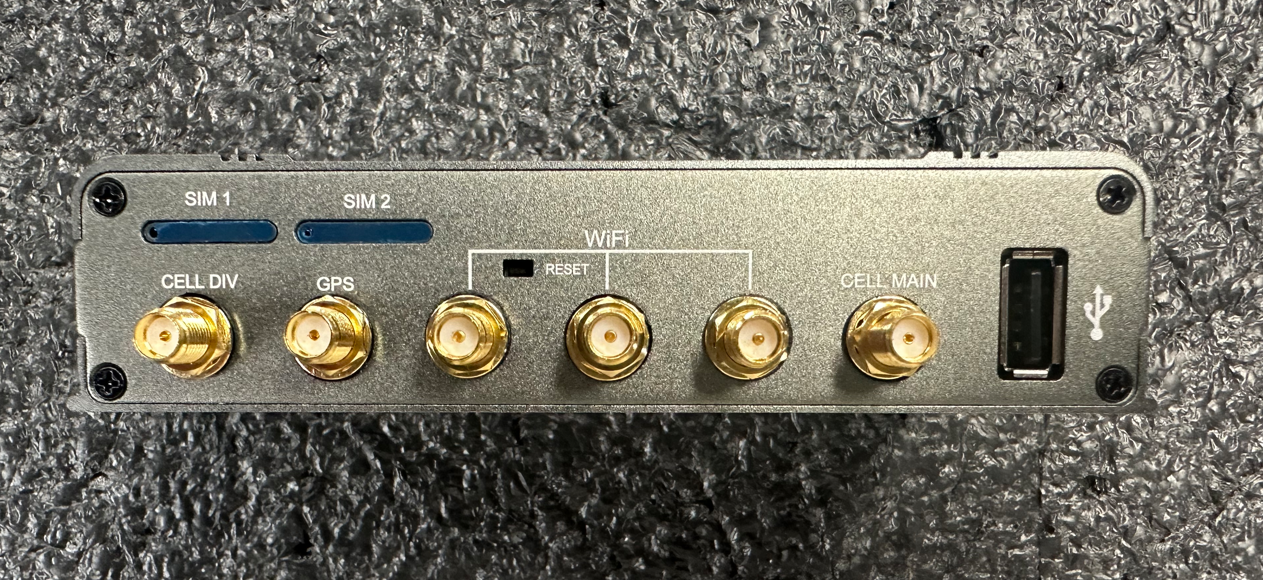
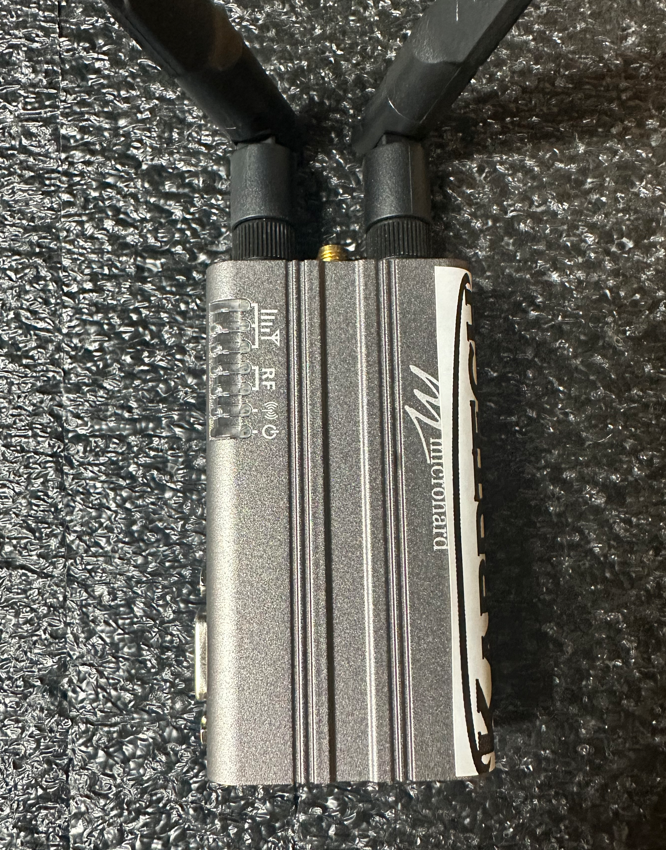
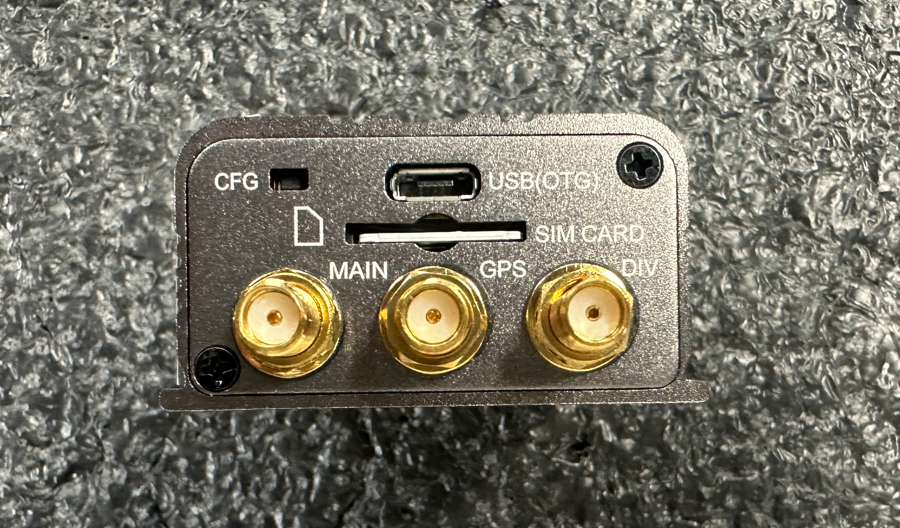
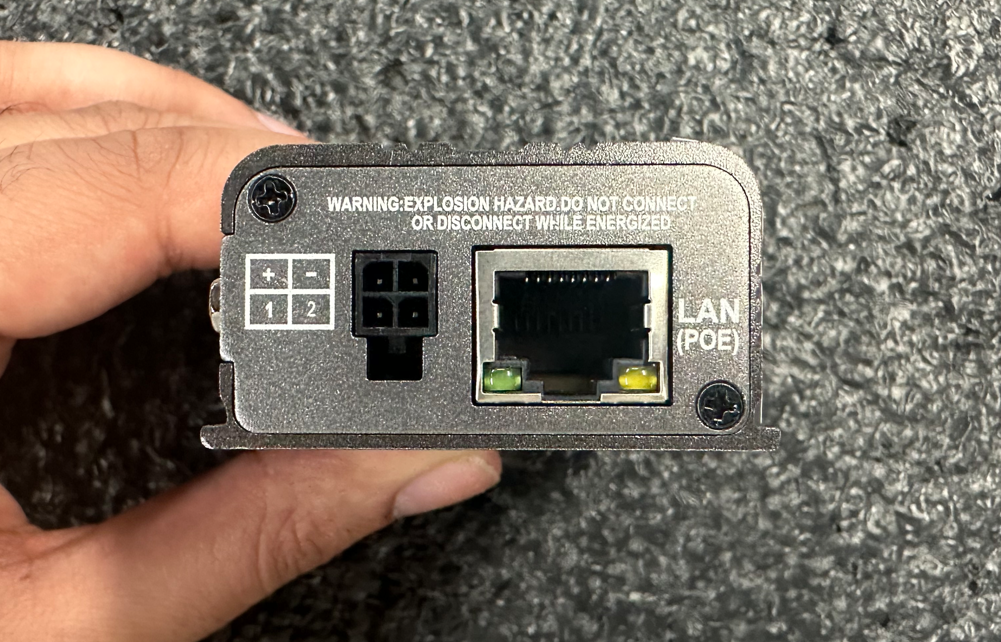
Microhard Modem (Bullet)
1 LAN Port
Main, DIV and GPS Antenna ports
1 SIM Slot
1 USB-C Port
RedLion Modem
5 LAN Ports
Main and DIV Antenna Ports
1 SIM Slot
1 RS232 Port
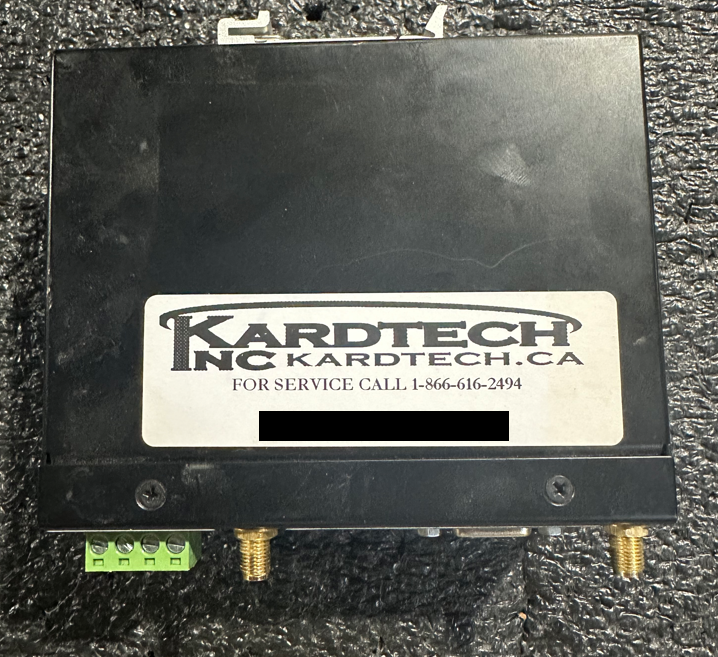
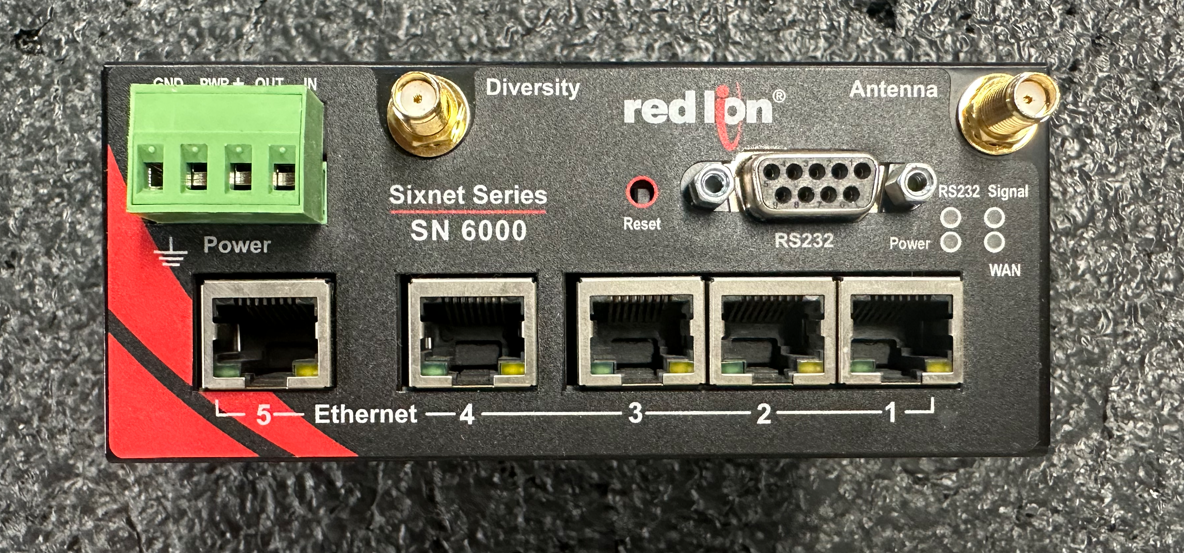
If the modem loses connection fleet cards will still work but debit/credit will not. Loss of connectivity will also affect the support team and the end-user as they will not longer have access to the pump software.
________________________________________________________________________________
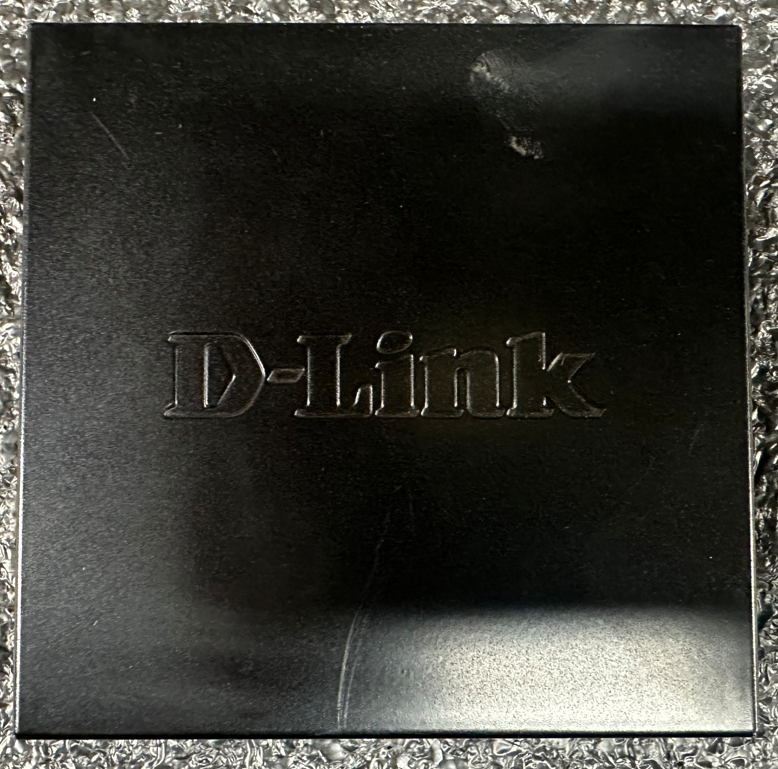
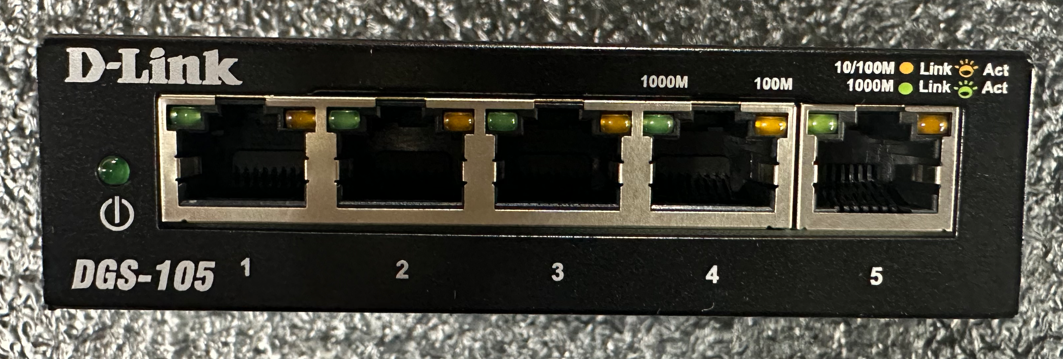
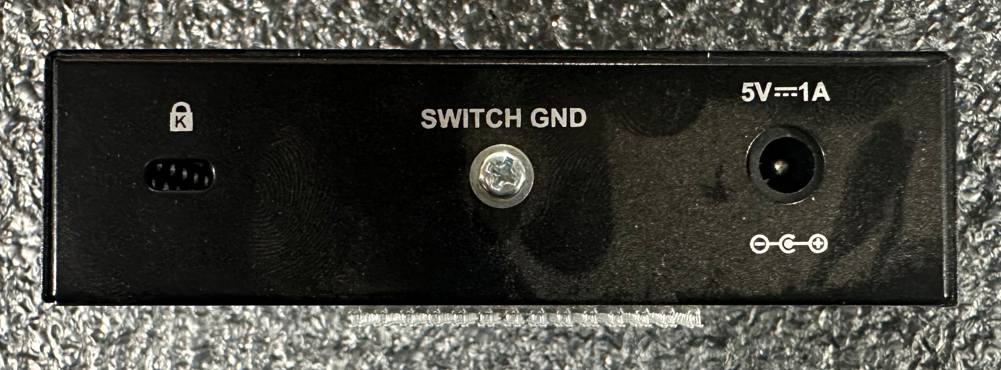
Network Switch
The network switch allows for all components inside the Multi-Pass to communicate with each other.
Multi-Pass Main Components Connected to the Network Switch
Red Board - 192.168.0.11 and up
Pi-Box - 192.168.0.200/201 and up
PC - 192.168.0.180
Modem - 192.168.0.1
Tibbo - 192.168.0.40 and up
________________________________________________________________________________
Pi-Box
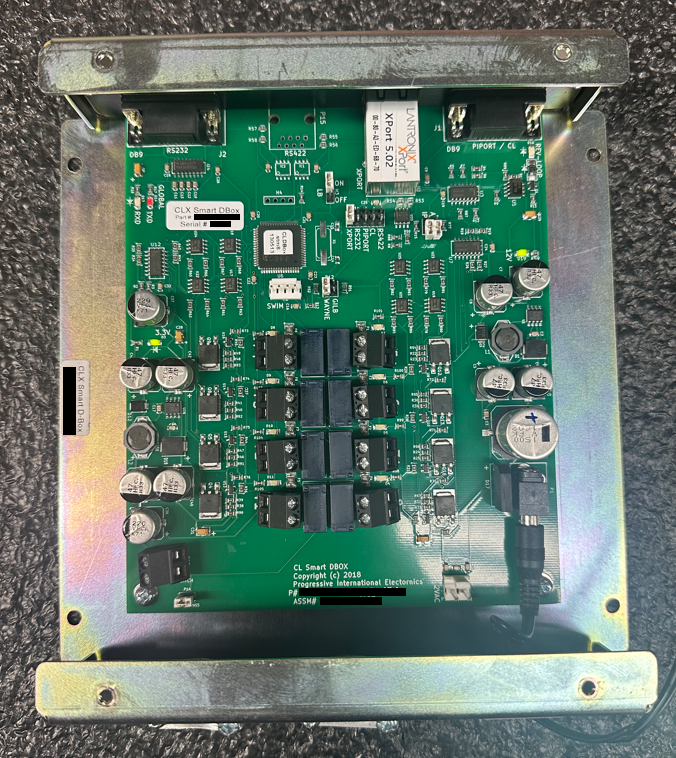
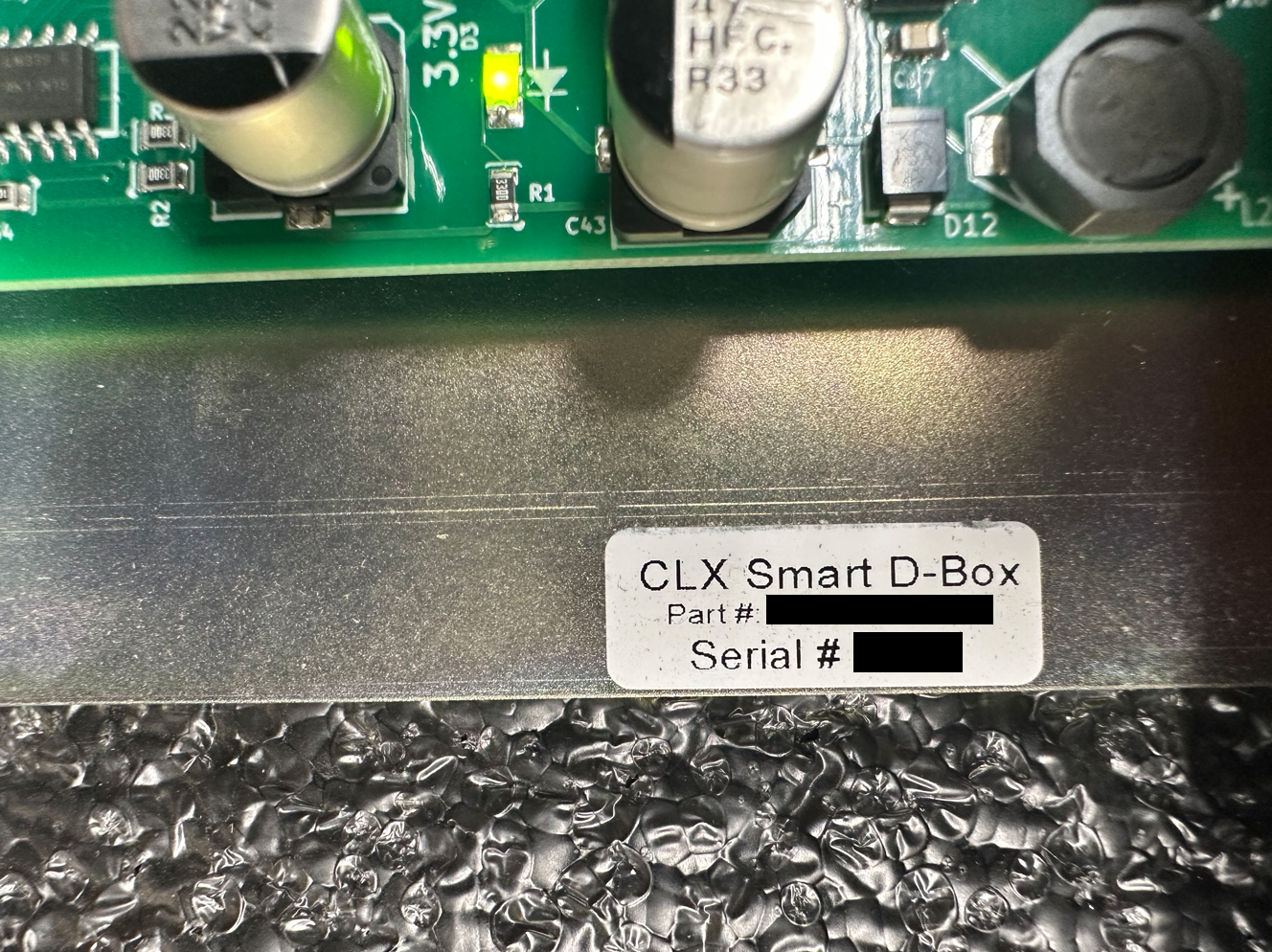
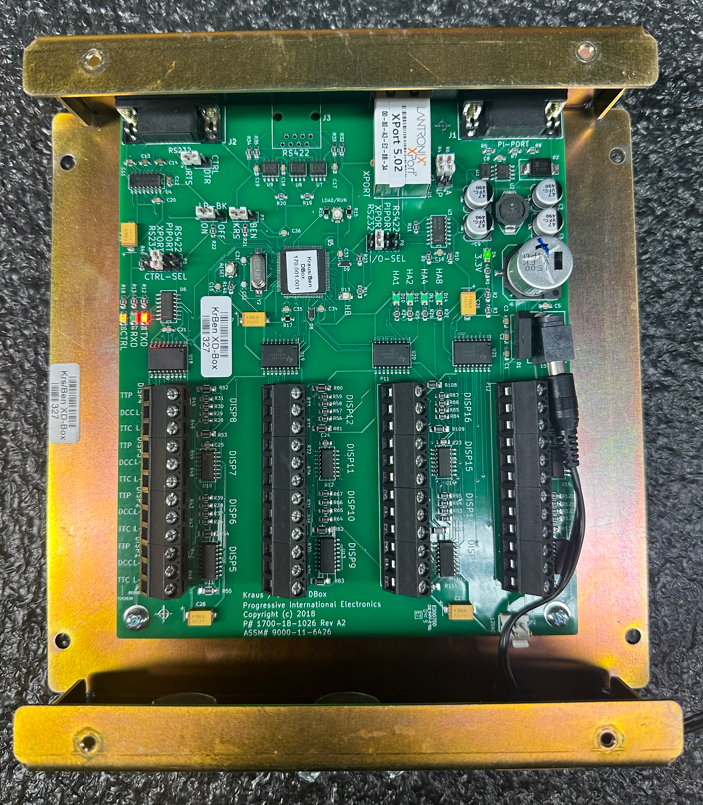
The Pi-box is the main pump communication device. Wiring from the pumps go into the Pi-Box, and from there an ethernet cable is run from the Pi-Box into the switch. This allows the software to communicate with the pumps. There are 3 main pump types that can be controlled through the Pi-Box. Wayne, Gilbarco and Kraus. Wayne and Gilbarco use the same Pi-Box. Kraus uses a different one.
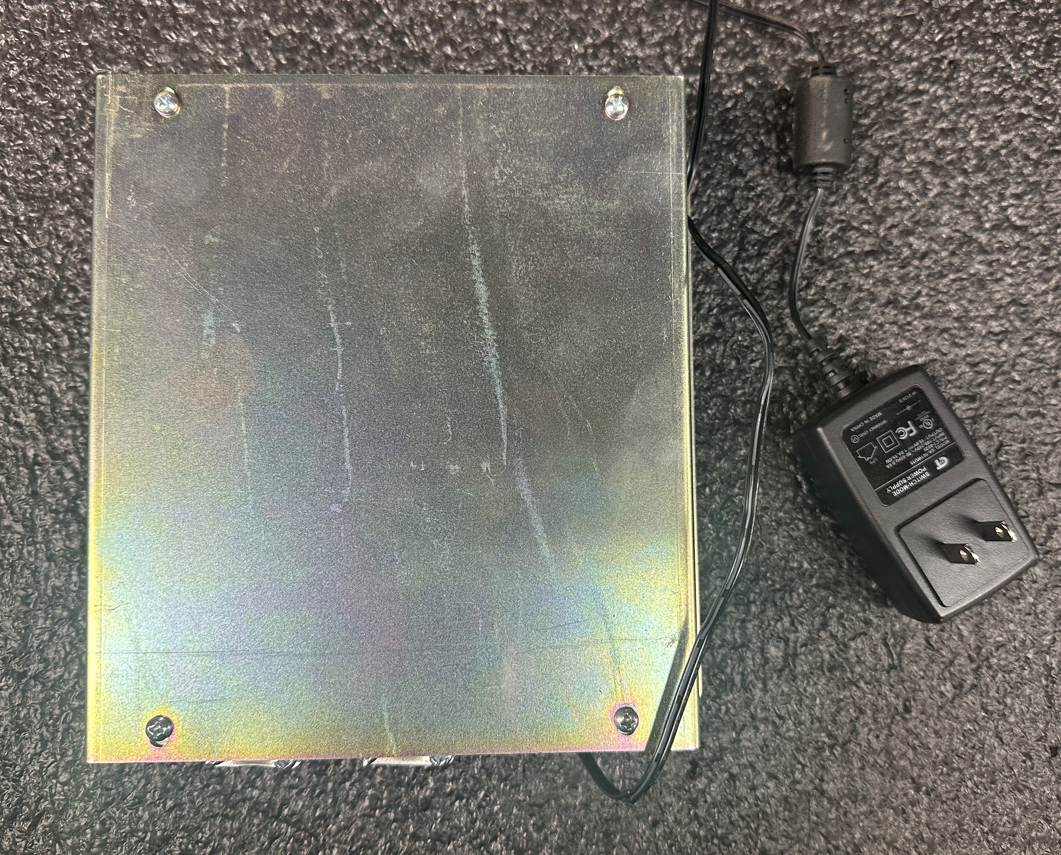
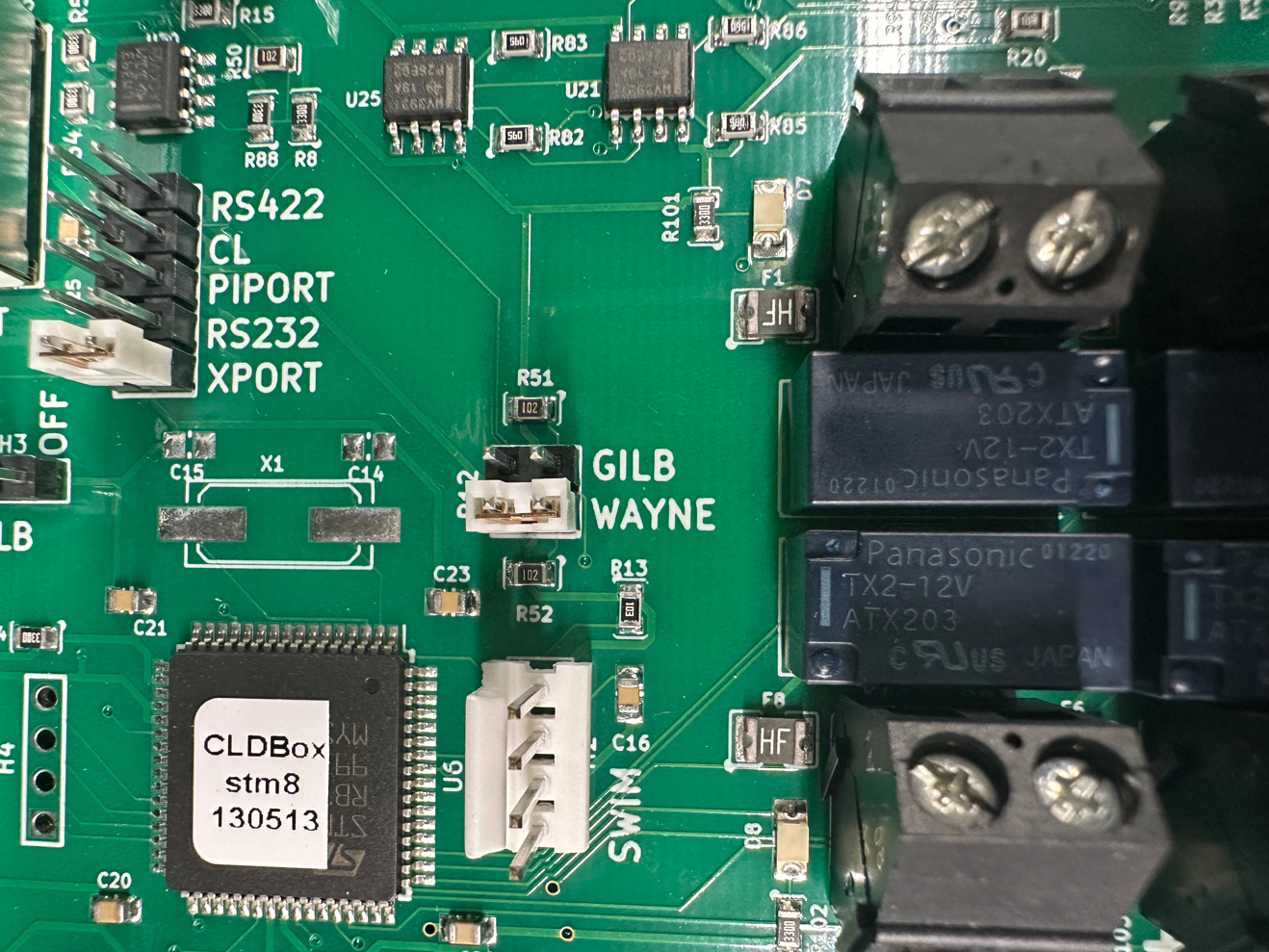
Wayne and Gilbarco
- Indicated by the label "CLX Smart D-Box"
- The inside of the Pi-Box has a Gilb/Wayne jumper where you can switch between the two.
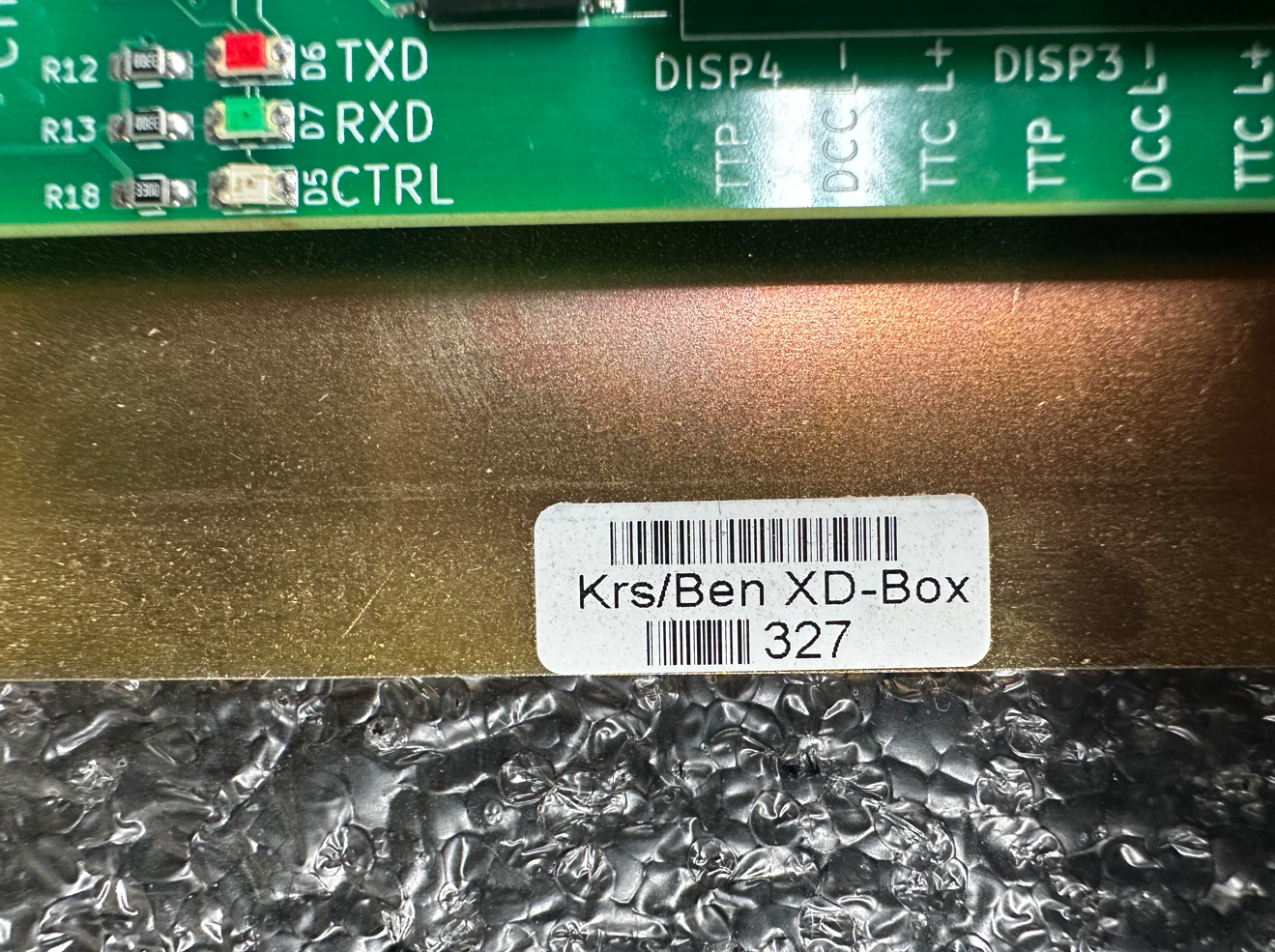
Kraus/Bennett
- Indicated by the label "Krs/Ben XD-Box"
- The inside of the Pi-Box has a jumper where you can switch between Kraus and Bennett.
________________________________________________________________________________
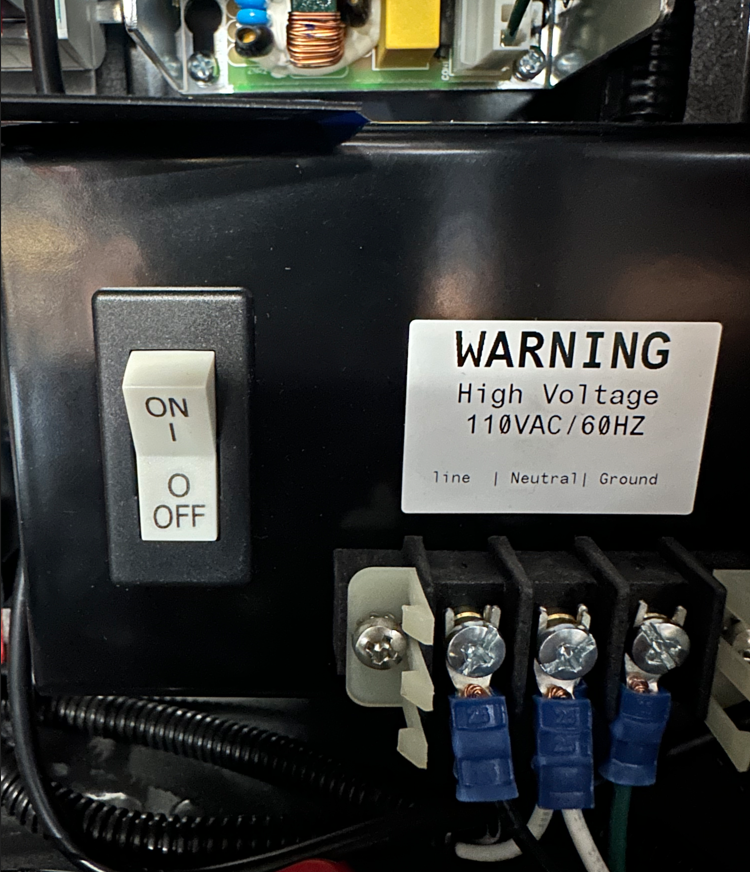
Main Power Toggle
If the site does not have a Tibbo device, the only way to shut power down to the Multi-Pass terminal is by flipping this switch off.
________________________________________________________________________________
UPS (Battery Backup)
The battery backup is used to provide power to the essential components of the Multi-Pass if there is a power outage. These components include the modem, switch and PC.
________________________________________________________________________________
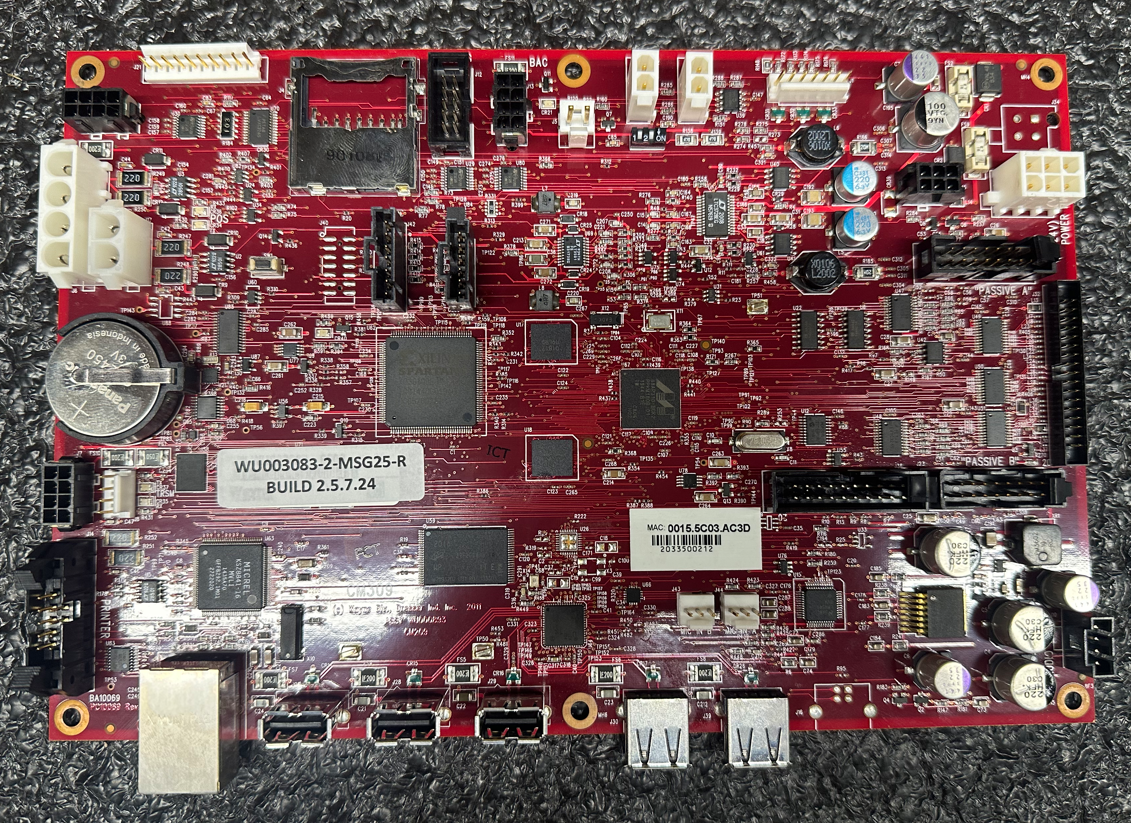
Red Board/Jade Board
The Red Board/Jade board is the brains of the whole system. It supplies the screen with the correct prompts, links directly to the SPM for banking and without it, the Multi-Pass is unable to function.
If the red board/jade board cannot be recovered from the "Please Pay Inside" screen, in most circumstances it will need to be replaced. This is also the case if the red board is in a "boot loop", where the screen continuously goes in circles and never reaches the welcome screen. The red board/jade board is a fragile piece of hardware and requires any technician handling it to be very careful not to damage any of its' components.
________________________________________________________________________________
Prox Reader
Some sites use a prox reader for driver/vehicle identification rather than swiping a card. These sites are few and far between. An example is AFD
Was this article helpful?
That’s Great!
Thank you for your feedback
Sorry! We couldn't be helpful
Thank you for your feedback
Feedback sent
We appreciate your effort and will try to fix the article